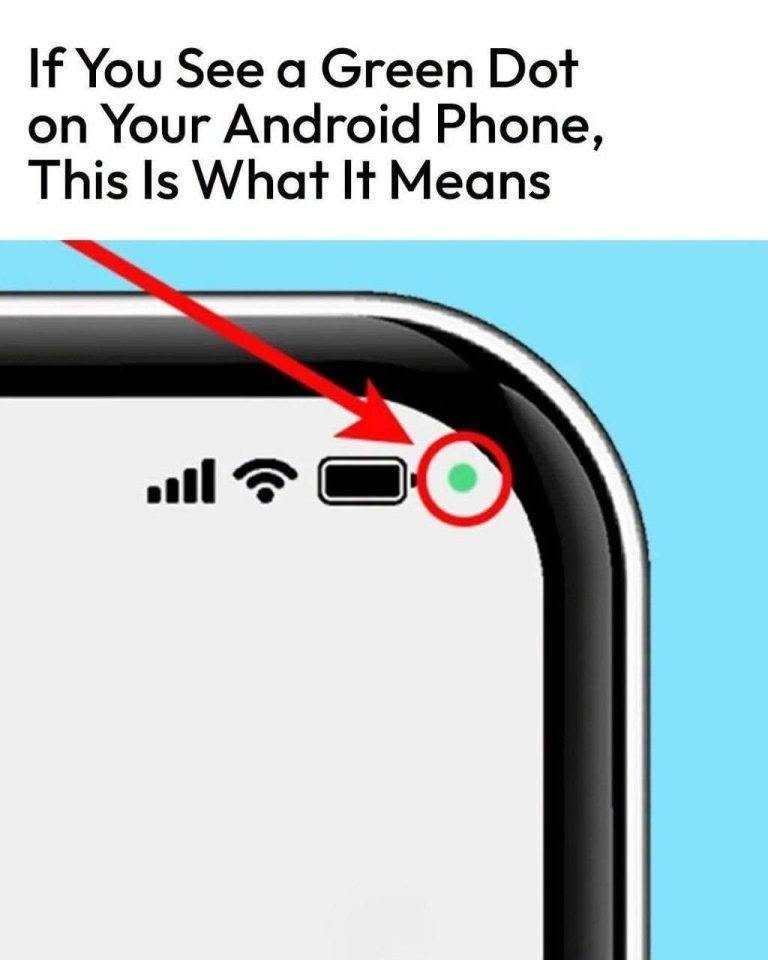
That small green dot in the top corner of your Android screen is a built-in security feature called the Privacy Indicator (standard on devices running Android 12 and newer).
Whenever you see it light up, it means an application or system process is actively using your phone’s camera or microphone.
How to Check Which App Is Using It
You don’t have to guess which app triggered the indicator. You can investigate it immediately:
-
Swipe down from the top of your screen to open your notification panel or Quick Settings.
-
Tap the green indicator icon at the top. A small pop-up message will appear instantly, telling you the exact name of the app currently accessing your camera or microphone (for example, a video-calling app, voice recorder, or camera tool).
-
Manage Permissions: Tapping that notification will often take you directly to that app’s permission settings, allowing you to change it from “Allowed all the time” to “Only while using the app” or to block access entirely.
When the Green Dot Is Normal vs. When to Investigate
-
Completely Normal: Seeing the green dot pop up when you open your camera app, record a voice note, make a phone call, scan a QR code, or use voice-to-text typing on your keyboard.
-
Worth Investigating: If you see the green dot flashing or staying on constantly when your phone is sitting idle on your home screen and you aren’t running any visible apps, it means a background process or rogue application is accessing your hardware.
How to Do a Deeper Privacy Audit
If you want to review your phone’s recent sensor activity to ensure no apps are misbehaving:
-
Go to Settings > Privacy > Privacy Dashboard (on some devices, look under Security & Privacy).
-
Tap on Camera or Microphone to see a chronological 24-hour or 7-day timeline showing every single app that accessed those sensors and exactly when they did it.
-
If you spot an unfamiliar app using your hardware when it shouldn’t, revoke its permissions or uninstall it.
💡 The Big Takeaway
The green dot isn’t a glitch or a secret tracking device—it’s your phone’s built-in watchdog designed to give you total transparency over your camera and microphone.
Did the green dot pop up unexpectedly while you were using a specific app today?
